
Speed limiters are a vital part of modern vehicle safety—especially in school buses, commercial fleets, and public transport vehicles. These devices help control how fast a vehicle can go, preventing accidents, saving fuel, and ensuring compliance with traffic laws. But let’s be honest—installing them isn’t always a plug-and-play task. When something goes wrong during setup, it can cause the limiter to malfunction or stop working entirely.
Let’s walk through the most common speed limiter installation errors and how to fix them—step by step.
Understanding Speed Limiter Installation: A Quick Overview
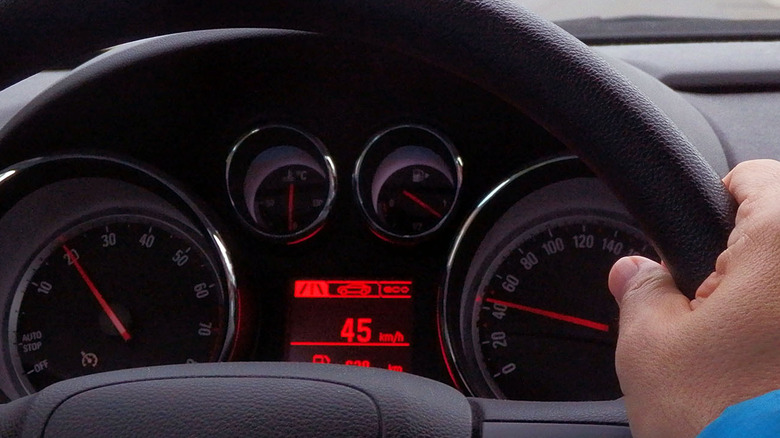
A speed limiter, or speed governor, is a small but powerful electronic device that controls how fast a vehicle can travel. At Resolute Dynamics, we use advanced tech like GPS-based systems and dual-speed configurations, which adapt to terrain or route conditions. Installation usually involves connecting the limiter to the vehicle’s Electronic Control Unit (ECU), throttle system, or speed sensors.
Depending on your setup, the installation could be simple—or more complex, especially for systems with dual-speed or smart terrain switching.
Most Common Installation Errors
Even experienced installers sometimes run into issues during speed limiter setup. Whether you’re working with a single-speed governor or a dual-speed GPS-based system, small mistakes can lead to big malfunctions. Let’s dive deep into the most common errors—and what’s actually going on behind the scenes when things go wrong.
1. Incorrect Wiring or Connector Misplacement
This is the #1 culprit behind speed limiter failure.
Speed limiters rely on precise electrical connections to communicate with the vehicle’s Electronic Control Unit (ECU), Throttle Position Sensor (TPS), and sometimes the OBD-II port. If you mismatch the wiring—such as connecting signal wires to power or reversing the polarity of input/output lines—the limiter either doesn’t activate or behaves unpredictably.
Symptoms:
-
Limiter doesn’t power on.
-
Vehicle starts but limiter remains inactive.
-
Speed remains unrestricted regardless of setup.
Why it happens:
-
Misreading color-coded wires.
-
Using a universal wiring harness without proper pinout mapping.
-
Not grounding to a solid, clean metal point.
Pro tip: Always refer to the vehicle-specific wiring diagram. Use a multimeter to test continuity and voltage before connecting the limiter module.
2. Firmware Mismatch or Software Conflicts
Every speed limiter model comes with firmware tailored to its functions and supported vehicle types. Installing outdated or incorrect firmware can cause calibration errors, throttle misbehavior, or even total system lockout.
What this really means:
The limiter’s firmware may not properly communicate with the car’s Controller Area Network (CAN Bus) or recognize engine RPM signals. This causes the limiter to misinterpret speed input—or ignore it altogether.
Common causes:
-
Using firmware for a different model (e.g., loading adaptive limiter firmware on a basic unit).
-
Skipping firmware updates during setup.
-
Using unofficial or outdated installer software.
Fix tip: Download the latest firmware from the official source. Most manufacturers provide a model-specific firmware flash tool that checks for compatibility before installation.
3. Faulty Calibration
Calibration is what tells the limiter how fast the vehicle is allowed to go, how quickly it can accelerate, and under what conditions the limits apply. Skipping this step or entering the wrong values can cause the limiter to either:
-
Engage too early (under-speed limitation)
-
Never engage at all
-
Create throttle lag or engine hesitation
Calibration involves:
-
Setting the maximum allowed speed
-
Aligning the limiter with engine RPM thresholds
-
Mapping speed zones (for dual-speed/GPS units)
-
Testing sensor signals (like speed input and throttle position)
Real-world impact:
A delivery van calibrated to a school bus’s max speed profile may crawl at 30 km/h on highways—or vice versa, run unrestricted in school zones.
Fix tip: Always perform calibration with the engine running in a safe environment. Use the official calibration utility provided by the manufacturer, and verify each setting against vehicle specs.
4. ECU or OBD-II Interference
Modern vehicles are built with dozens of onboard systems that share data over the CAN Bus network. Improperly installed speed limiters can interfere with this communication, especially if they’re tapping into OBD-II ports or sensor signals without isolation.
What happens:
-
The limiter competes with the ECU for control of throttle or fuel injection.
-
The ECU detects abnormal signals and enters limp mode to protect the engine.
-
Dashboard warning lights appear: Check Engine, ABS, or Transmission faults.
Clues:
-
Vehicle won’t accelerate properly.
-
Cruise control gets disabled.
-
OBD scan shows generic or manufacturer-specific communication errors.
Fix tip: Avoid daisy-chaining devices on the same CAN line. Use CAN Bus splitters or isolators, and install only one control module per diagnostic circuit.
5. Unstable Power or Poor Grounding
All electronic devices need clean and stable power. If the speed limiter gets fluctuating voltage or a poor ground connection, it may:
-
Reboot mid-drive
-
Fail to activate
-
Corrupt its firmware during operation
Root causes:
-
Power tapped from accessory lines (which cut off during ignition)
-
Grounding to painted or rusted surfaces
-
Sharing power with high-load devices (like amplifiers)
Warning signs:
-
LED on the limiter flickers or resets
-
Inconsistent limiter activation
-
Random vehicle behavior like jerking or surging
Fix tip: Always power the limiter from a constant 12V line with a dedicated fuse. Ground it directly to the chassis or battery ground point using a ring terminal.
6. Speed Sensor Not Detected (VSS Signal Loss)
Many limiters depend on accurate speed signals from the Vehicle Speed Sensor (VSS). If the limiter can’t detect vehicle speed, it won’t know when to engage—leading to unpredictable or no operation.
Types of speed signals:
-
Analog pulse signals from the transmission
-
Digital signals over the CAN Bus
-
GPS-based virtual speed (on advanced models)
Why this fails:
-
Tapping into the wrong signal wire (e.g., tach instead of speed)
-
Signal interference from other modules
-
Faulty VSS or dirty connectors
Indicators:
-
Speed reading “0” in the limiter’s setup tool
-
Limiter never activates regardless of driving speed
-
Diagnostic tool shows “Speed Input Error”
Fix tip: Use an oscilloscope or signal tester to confirm pulse or data rate from the VSS wire. If using GPS-based units, ensure the antenna has a clear sky view and isn’t blocked by metal or tint.
How to Diagnose Installation Issues
When your speed limiter isn’t working as expected after installation, don’t panic—and definitely don’t uninstall it right away. Most issues can be found with a careful diagnostic process using simple tools and a bit of know-how. Whether you’re working with a Resolute Dynamics speed limiter, a dual-speed terrain-based model, or a basic RPM-based limiter, these diagnostic steps will help identify the root cause of most installation faults.
Here’s how I approach it, step by step.
1. Start with a Full Visual Inspection
Before connecting any diagnostic tools, do a thorough visual inspection of the entire installation. Most of the time, installation issues are caused by something simple: a loose wire, a misplaced connector, or a blown fuse.
What to look for:
-
Loose or disconnected harness plugs
-
Frayed or pinched wires near mounting points or heat sources
-
Corroded terminals (especially if installed in humid or dusty environments)
-
Damaged or melted fuse (check both inline and panel fuses)
-
Ground wires screwed into painted or rusty metal instead of bare chassis
Pro tip: Tug gently on each connector. If anything pops out easily, it wasn’t secured properly.
Common issues found here:
-
Misaligned ECU pin connectors
-
Ground wires connected to bolt heads over painted surfaces (causing grounding instability)
-
Power wire run to accessory line instead of constant 12V (causing power loss during ignition cycling)
2. Use an OBD-II Scanner or Diagnostic Tool
Most modern vehicles support OBD-II (On-Board Diagnostics), and some speed limiter models integrate into the CAN Bus system. Using a diagnostic scanner gives you a snapshot of what the vehicle and limiter are “seeing.”
Scan for these faults:
-
Throttle Position Sensor (TPS) errors
-
Vehicle Speed Sensor (VSS) communication faults
-
RPM sensor issues
-
CAN Bus communication errors (e.g., “U0100 – Lost Communication with ECM/PCM”)
What this tells you:
If the limiter is interfering with the vehicle’s systems, the ECU might throw codes that help you pinpoint the conflict. For example, if the throttle isn’t responding properly, it might show P0120 (throttle/pedal position sensor malfunction).
Pro tip: Use a diagnostic tool that can read live data. Look for:
-
Speed signal being received
-
RPM range values
-
Throttle angle or position
-
Engine load readings
This will confirm whether the limiter is reading sensor input correctly—or not reading anything at all.
3. Check Built-In LED Status or Error Indicators
Many Resolute Dynamics speed limiters include on-device diagnostic indicators—typically LED lights, error codes, or buzzers. These are often overlooked, but they can tell you immediately what’s wrong.
What to check:
-
Does the LED light stay solid, blink in a pattern, or stay off?
-
Are there color-coded signals (e.g., red for fault, green for ready)?
-
Does the buzzer beep a certain number of times on ignition?
Example diagnostic patterns:
-
1 blink per second: Device powered, no speed signal
-
2 blinks per second: Speed signal detected, limiter inactive
-
Solid red: Firmware error or CAN Bus conflict
-
No light: No power or internal short circuit
Why this helps: These indicators are your first clue before diving deeper into the system. Some advanced limiters even have USB or Bluetooth interfaces for viewing error logs via PC or mobile app.
4. Watch for Power Cycling or Device Rebooting
One of the most frustrating but common problems is intermittent power loss, also known as power cycling. This usually shows up as:
-
The limiter turning off and on randomly
-
The LED flickering or going dark mid-drive
-
Throttle hesitation or momentary cutouts
What’s happening:
Power cycling often comes from:
-
Unstable voltage (below 11.5V during ignition crank)
-
Weak ground connection
-
Shared power source with high-draw devices (e.g., amplifiers, trailer lights)
How to check:
-
Use a multimeter to check voltage at the limiter’s input pin while cranking the engine.
-
Use a voltage drop test from ground wire to battery negative terminal.
-
Observe if the device reboots when headlights or AC are turned on.
Fix tip: Always connect to a constant 12V fused line, and ground directly to the bare chassis. Avoid tapping into ignition-switched accessories unless specified in the manual.
Step-by-Step Troubleshooting Guide
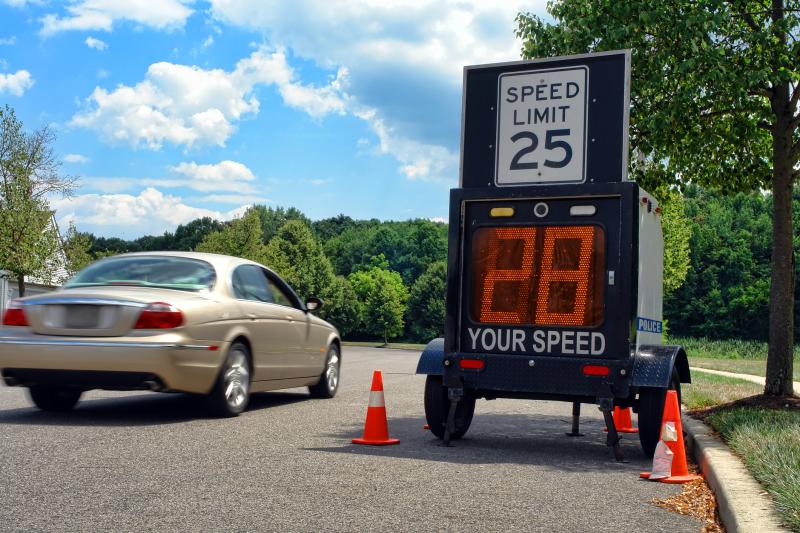
When a speed limiter isn’t functioning properly after installation, it’s tempting to blame the device. But in most cases, the problem lies in one of five areas: wiring, power supply, software, calibration, or post-setup testing. I’ve worked hands-on with dozens of installations, and these steps have helped me resolve almost every issue—no matter the vehicle type or limiter model.
Follow this methodical process, and you’ll save hours of frustration.
Step 1: Verify All Wiring (Signal Integrity Check)
Why it matters:
Speed limiters communicate with the vehicle’s Electronic Control Unit (ECU), Throttle Position Sensor (TPS), and sometimes the Vehicle Speed Sensor (VSS). One bad connection can break the entire loop.
What to check:
-
Ensure that all wires are connected according to the official wiring diagram.
-
Verify connections to:
-
Ignition circuit (for switched 12V)
-
Constant power supply (typically battery feed)
-
Ground point (chassis or factory grounding bolt)
-
ECU signal wires (CAN high/low, speed, RPM)
-
Throttle or pedal control wires (for drive-by-wire systems)
-
How to do it:
-
Use a digital multimeter to check for:
-
Continuity across each wire
-
Voltage at key terminals (e.g., 12.2–12.8V for constant power)
-
No resistance between ground wire and chassis
-
-
Look for signs of wear, exposed copper, or aftermarket splicing
Extra Tip: Avoid using scotch locks or wire taps—they’re convenient but unreliable in high-vibration automotive environments.
Step 2: Confirm Power and Ground (Electrical Stability Check)
Why it matters:
Electronic modules like speed limiters require clean, stable power. Any voltage drop or grounding issue can cause malfunctions or intermittent operation.
Checklist:
-
Is the power source constant 12V (not ignition-switched)?
-
Is the limiter’s ground connection to bare metal?
-
Are there any voltage dips during engine crank?
Testing Method:
-
Voltage Test:
-
Use a multimeter at the limiter’s power input
-
Check for a minimum of 11.8V under load
-
-
Ground Test:
-
Place one probe on the limiter’s ground wire and the other on battery negative
-
Resistance should be <0.2 ohms
-
-
Crank Test:
-
Start the engine and watch voltage at limiter input; if it drops below 10V during crank, relocate power source
-
Common Mistakes:
-
Tapping into accessory circuits (they cut out under load)
-
Grounding to bolts that hold plastic or painted parts
-
Sharing power lines with high-draw systems like amplifiers
Step 3: Firmware Check (Software Compatibility & Integrity)
Why it matters:
Many issues stem from running outdated, corrupted, or incorrect firmware versions—especially on multi-speed or GPS-based limiters.
Signs of firmware-related problems:
-
Limiter activates incorrectly (e.g., at low speeds)
-
Throttle response delay
-
Dual-speed mode not engaging
-
Calibration settings not saving
How to perform a firmware check:
-
Connect the limiter to a PC using the manufacturer’s diagnostic software or USB interface.
-
Open the configuration dashboard and check the:
-
Firmware version number
-
Build date or version log
-
Compatibility message (if available)
-
-
Visit the manufacturer’s website (e.g., Resolute Dynamics support page) and compare versions.
Update Process:
-
Download the correct firmware for your model and vehicle type.
-
Use a firmware flashing utility to safely update.
-
Avoid interrupting the power during the update—it may brick the device.
Step 4: Recalibrate the Speed Limiter (System Configuration)
Why it matters:
Without proper calibration, the limiter won’t know what speed to restrict, how to read the engine’s RPM, or how to apply throttle control.
Calibration typically includes:
-
Maximum speed setting (e.g., 80 km/h or 100 km/h)
-
Idle RPM baseline
-
Engine cutoff RPM
-
Gear ratio configuration (in vehicles with manual or CVT gearboxes)
-
Input source selection (e.g., CAN Bus, GPS, analog VSS)
Advanced calibration for dual-speed models:
-
Urban vs. highway speed zones
-
Geo-fencing using GPS coordinates
-
Time-based or location-based activation
Calibration Procedure:
-
Access the limiter configuration software.
-
Input the vehicle-specific values (refer to the OEM data sheet).
-
Save and write settings to the device.
-
Restart the ignition and verify settings were stored.
Common Calibration Mistakes:
-
Forgetting to save or write settings after input
-
Using default values not suited for the vehicle
-
GPS calibration done indoors (leading to location errors)
Step 5: Test Drive and Monitor Performance (Post-Installation Validation)
Why it matters:
A successful installation means nothing without a real-world test. This confirms whether the limiter behaves as expected under dynamic conditions.
Test Route Checklist:
-
Include both urban and highway sections (if using a dual-speed model)
-
Gradually increase speed to the set limit
-
Observe how the limiter engages (soft cut, throttle hold, or ignition cut)
-
Watch for:
-
Throttle lag
-
Jerky acceleration
-
Speed overshoot before limiter engages
-
Failure to engage at setpoint
-
Monitoring Tools:
-
Diagnostic app or PC tool with live data logging
-
GPS-based speed tracking
-
Throttle position and RPM charts (if available)
Post-Test Evaluation:
-
Does the limiter consistently engage at the correct speed?
-
Is the throttle smooth, or does it feel restricted?
-
Are there any warning lights or ECU error codes?
Final Tip: Perform a test drive with a load or passengers, if applicable. Vehicle behavior can change under different load conditions—especially for school buses, trucks, or fleet vans.
Advanced Troubleshooting for Dual-Speed and GPS Models
Resolute Dynamics’ Dual Speed Limiters work based on terrain and GPS zones. That adds another layer of complexity.
-
Terrain Switching Issues: If the GPS module can’t get a signal, the system might default to the wrong speed profile.
-
Antenna Placement: Make sure the GPS antenna is mounted where it has a clear view of the sky—usually on the dashboard or roof.
-
Geo-Fencing Conflicts: If the route mapping has overlaps or missing coordinates, the limiter might misbehave during zone transitions.
Installation Best Practices
Whether you’re a fleet manager or a solo mechanic, these tips go a long way:
-
Use certified technicians trained on Resolute Dynamics systems.
-
Read the complete installation manual before starting.
-
Use original harnesses and connectors.
-
Avoid installing close to other high-power electronics to reduce EMI (electromagnetic interference).
-
Document every install—take pictures, log settings, and record error codes.
When to Contact Support
If you’re still stuck after troubleshooting, it might be time to call the experts.
Here’s what you should have ready:
-
Limiter model and serial number
-
Vehicle make, model, and year
-
Full description of the issue
-
Photos of the installation
-
Any error codes or LED patterns
Resolute Dynamics offers remote diagnostics and software updates for many models. That means in some cases, you won’t even need to uninstall the unit.
FAQs About Speed Limiter Troubleshooting
Q: Can a limiter cause slow acceleration?
Yes, if misconfigured, it may limit throttle response. Recalibration usually solves this.
Q: Will installation affect fuel consumption?
It can actually improve it—especially in commercial fleets—by preventing aggressive driving.
Q: How long does troubleshooting usually take?
With the right tools, most problems can be fixed in under an hour.
Final Thoughts
Troubleshooting speed limiter installation doesn’t have to be a nightmare. With a little patience, some basic tools, and a clear process, you can resolve most issues without tearing your hair out. Remember—proper installation is not just about following wires. It’s about understanding how the device interacts with the vehicle’s brain.
And when in doubt, don’t guess—ask for help.