
If you’ve ever seen a warning light pop up on your dashboard or a strange error code related to your speed limiter, you’re not alone. These alerts can be confusing—but they’re also your vehicle’s way of saying, “Something’s not right.”
Whether you’re a daily driver, a fleet manager, or someone running a school transport service, knowing what these warnings mean and how to fix them can save you time, money, and frustration.
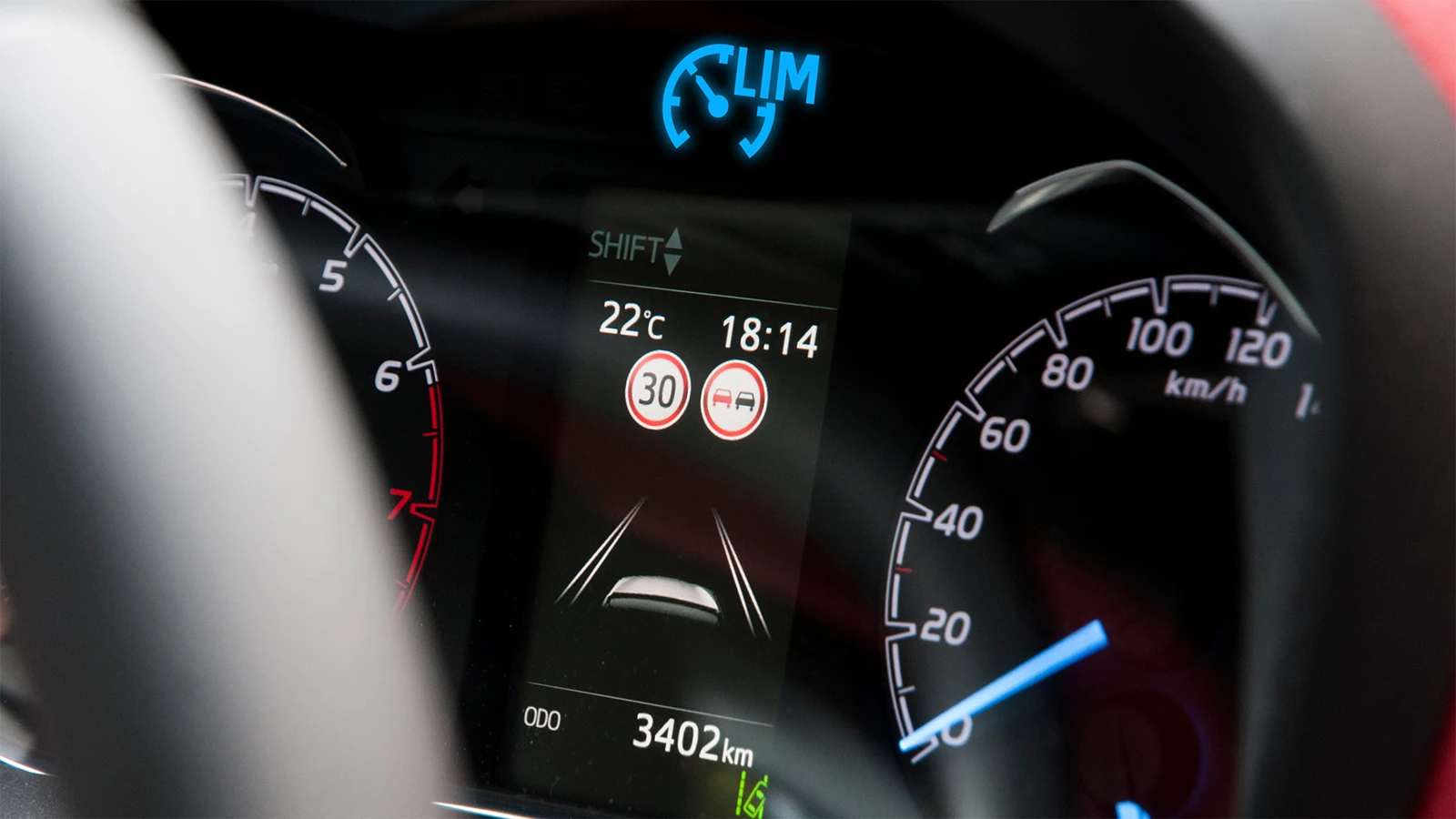
Understanding Speed Limiter Warning Lights
That glowing symbol on your dash isn’t there for fun. When it lights up, it means something in the limiter system isn’t working right. Here’s what the most common lights mean:
Common Dashboard Symbols
-
Yellow Speedometer with Arrow – Speed limiter is active or restricted.
-
Red Circle with Line – Speed limiter fault.
-
Flashing Limiter Icon – The system is trying to engage but failing.
Each manufacturer uses slightly different symbols, but the colors stay pretty consistent:
-
Yellow/Amber: Warning. Not urgent, but check it soon.
-
Red: Critical. Needs immediate attention.
If your vehicle has a digital screen, the warning may come with a message like “Speed Limiter Malfunction” or “Limiter System Fault.”
Speed Limiter Error Codes: What They Mean
Modern vehicles are smarter than ever. When something goes wrong with your speed limiter system, your car doesn’t just flash a warning light—it stores an error code that helps pinpoint what’s causing the problem. These codes are part of your vehicle’s On-Board Diagnostics (OBD-II) system and can be scanned with a simple diagnostic tool.
Understanding these codes can save you time at the mechanic—or even help you fix the issue yourself if it’s minor.
What Are Speed Limiter Error Codes?
These error codes usually follow a specific format:
-
Start with a letter (like P, C, or U)
-
Followed by four numbers (like 2138, 1564, etc.)
Each code tells a different story. For example:
-
“P” codes (Powertrain) relate to engine and transmission systems.
-
“C” codes (Chassis) involve the vehicle frame or suspension systems.
-
“U” codes (Network/Communication) show problems between control modules.
Since the speed limiter is often tied into the powertrain, throttle, brakes, and ECU, most limiter issues fall under P, C, or U codes.
Common Speed Limiter-Related Error Codes (With Explanations)
Here’s a breakdown of the most frequently triggered error codes that relate to speed limiter systems, especially those used in fleets, school buses, and commercial vehicles:
P1564 – Speed Control Command Switch Out of Range
-
What it means: The switch or button that controls the speed limiter (or cruise control) is sending incorrect signals.
-
Likely cause: Faulty or sticky control switch, corroded connector, or internal short.
-
Fix: Replace the speed control switch or check the wiring harness for damage.
P2138 – Throttle/Pedal Position Sensor D/E Voltage Correlation
-
What it means: The readings from the throttle position sensors don’t match up.
-
Why it matters: Speed limiters often rely on throttle input to engage properly. A mismatch here means unreliable limiter control.
-
Likely cause: Faulty accelerator pedal sensor, damaged wiring, or corroded connectors.
-
Fix: Replace the pedal position sensor and inspect the connector for moisture or debris.
C121C – Torque Request Signal Denied
-
What it means: The Transmission Control Module (TCM) is blocking the engine’s request for torque.
-
Where it’s seen: Often in commercial vehicles or those with advanced limiter and transmission integrations.
-
Cause: ABS module rejecting torque input due to traction or braking concerns.
-
Fix: Requires diagnostic scan of ABS and TCM systems. Check wheel sensors, brake fluid, and ABS fuses.
U0401 – Invalid Data Received From ECM (Engine Control Module)
-
What it means: One control module received faulty or missing data from the engine module.
-
Effect: The speed limiter won’t function properly if data like vehicle speed, throttle position, or RPM is corrupted.
-
Common triggers: Firmware glitches, interference in CAN Bus network, aftermarket modifications, or loose connectors.
-
Fix: Reflash ECM, update software, or check for damaged wiring between ECM and limiter system.
Other Related Codes Worth Watching
| Code | Description | Impact on Speed Limiter |
|---|---|---|
| P0504 | Brake Switch A/B Correlation | Limiter may disengage prematurely |
| P0571 | Cruise Control/Brake Switch A Circuit Malfunction | Limits activation or disengagement |
| U0121 | Lost Communication With ABS Module | Affects limiter response during braking |
| P0606 | ECM/PCM Processor Fault | General system failure; limiter disabled |
What Triggers These Errors?
These codes don’t show up randomly. Some common underlying causes include:
1. Sensor Failures
-
Throttle, brake, or pedal position sensors can fail due to wear, electrical shorts, or water ingress.
2. Wiring & Connector Issues
-
Damaged wiring harnesses, frayed cables, corroded pins, or poorly sealed connectors can interrupt signal flow between modules.
3. Firmware Glitches
-
Outdated or corrupt firmware in the ECU, speed limiter, or TCM may cause communication breakdowns.
4. Poor Installation or Calibration
-
Improperly installed speed limiter devices (especially aftermarket) often trigger false error codes if not calibrated correctly.
5. GPS Signal Loss (for advanced limiters)
-
Dual or terrain-based systems that rely on GPS can show errors when:
-
Entering tunnels, underground lots
-
Experiencing low satellite coverage
-
Interference from other electronics
-
Important Note for Fleet and School Bus Operators

Resolute Dynamics’ systems, like dual-speed limiters, are engineered to communicate with multiple modules—including ABS, throttle-by-wire systems, and GPS. That makes proper installation and professional diagnostics critical when dealing with errors.
Neglecting to fix a speed limiter fault can cause:
-
Speed restrictions to fail (non-compliance with regulations)
-
Vehicles going into limp mode
-
Excessive fuel usage
-
Safety system shutdowns
Pro Tip: Use a Quality OBD-II Scanner
For best results, use a diagnostic tool that supports manufacturer-specific codes (especially for brands like Hino, Toyota, Mercedes, or commercial trucks). Some cheaper scanners only detect generic codes and miss deeper issues in the limiter system.
Look for scanners with support for:
-
CAN protocol
-
Real-time data graphing
-
Module communication error logging
Why Do These Warnings or Errors Happen?
Speed limiter warning lights and error codes don’t just show up for no reason. They are your vehicle’s way of saying, “Something isn’t right in the system that controls how fast I’m allowed to go.”
Understanding the root causes behind these warnings is critical—especially if you manage a fleet, drive a vehicle with dual-speed systems, or rely on GPS-based limiters. Ignoring these issues might not shut your vehicle down immediately, but it can lead to performance problems, fuel inefficiency, non-compliance with road safety regulations, and in some cases, complete limiter failure.
Let’s look at the most common reasons behind these alerts, and why they happen.
1. Software Glitches or Firmware Bugs
Modern speed limiter systems are software-driven. They rely on firmware programmed into electronic control modules (ECUs) to process real-time vehicle data—like speed, throttle input, braking force, and terrain.
But like any tech, things can go wrong.
Causes:
-
Faulty or incomplete firmware updates
-
Power surges during startup or battery replacement
-
Incompatibility between different modules (especially after replacing components)
-
Sudden power loss during limiter configuration
Impact:
-
Limiters may fail to activate, deactivate randomly, or get stuck in one speed mode
-
Error codes like U0401 or P0606 may appear due to control module miscommunication
Real-World Example:
Let’s say your speed limiter firmware was updated, but your vehicle’s ECU was not. The mismatch can trigger false alerts or total limiter shutdown.
Solution: Always install firmware updates through certified installers. Avoid DIY updates unless instructed by the product manufacturer (like Resolute Dynamics).
2. Bad Sensor Readings
Speed limiters rely heavily on sensors to function properly. These sensors include:
-
Throttle position sensor
-
Brake pedal switch
-
Vehicle speed sensor
-
Accelerator pedal sensor
-
Wheel speed sensors (for ABS integration)
If any of these sensors send incorrect or delayed data, the limiter system might misinterpret the vehicle’s actual behavior.
Causes:
-
Dirt, moisture, or corrosion on connectors
-
Physical damage to sensor body or wires
-
Internal sensor failure due to wear and tear
-
Low battery voltage affecting sensor output
Symptoms:
-
Erratic limiter activation
-
Lag in speed control
-
Warning lights flashing intermittently
-
Inability to override or adjust limiter settings
Example error codes like P2138 or P0504 often point directly to sensor correlation issues.
3. Improper or Faulty Installation
One of the most overlooked causes of speed limiter malfunctions is installation error. If your limiter wasn’t set up by a certified technician—or if it was installed using generic wiring or shortcuts—it’s bound to act up.
Common installation mistakes:
-
Incorrect connection to CAN bus or power source
-
Misconfigured software (wrong speed limits or mode settings)
-
Loose wiring leading to intermittent signal loss
-
Grounding issues causing voltage fluctuation
Impact:
-
Constant warning lights on the dashboard
-
Speed limiter that activates too early or too late
-
Inability to recalibrate or reset system
Why it matters: The speed limiter isn’t just an accessory—it interacts with critical systems like your engine, throttle, and sometimes the transmission. Poor installation affects all of them.
Pro tip: If you’re using a GPS limiter from Resolute Dynamics, always use a certified dealer to handle installation.
4. Terrain Conflicts in Dual-Speed Limiters
Dual-speed limiters are designed to switch between different speed profiles depending on terrain or road type—for example, 40 km/h in urban zones and 80 km/h on highways.
But sometimes, the system gets confused about the terrain it’s on.
Causes:
-
Poor calibration of terrain detection parameters
-
Conflicting road surface readings from the sensors
-
Road gradients triggering unintended speed transitions
-
Mismatch between GPS signal and real-time speed
What happens:
-
Limiter may rapidly switch between two speed modes
-
Dashboard shows flickering or unstable speed limits
-
Driver feels loss of throttle response during speed zone transitions
Who it affects most:
-
School buses operating in mixed urban/rural routes
-
Fleet vehicles using terrain-aware or map-linked systems
Fix: Recalibrate the limiter system with updated terrain parameters and make sure the GPS unit (if integrated) has stable satellite communication.
5. GPS Signal Interference or Loss
Many modern speed limiters (especially dual-speed or intelligent limiters) rely on real-time GPS data to:
-
Detect current speed zones
-
Adjust vehicle speed accordingly
-
Log data for compliance and fleet tracking
But GPS is not 100% reliable in all environments.
Typical GPS issues:
-
Driving in tunnels, parking garages, or forested areas
-
Buildings blocking satellite signals (urban canyon effect)
-
Electronic interference from aftermarket accessories (e.g., dash cams, radios)
-
Faulty or misaligned GPS antennas
What this causes:
-
Speed limiter defaults to a “safe mode” or shows error
-
Vehicle may be limited to a lower fallback speed
-
Triggering of warnings like “GPS signal lost – limiter in passive mode”
Diagnostic tip: If you’re using a GPS-linked limiter and getting random speed changes or dropouts, check the GPS antenna first.
6. CAN Bus Communication Errors
CAN Bus (Controller Area Network) is the system that allows your vehicle’s electronic modules to talk to each other. If the limiter can’t communicate with the ECU, ABS, throttle, or brake modules, it won’t work right.
Causes:
-
Signal disruption due to damaged wiring or interference
-
Faulty connectors or mismatched baud rate settings
-
Overloaded CAN Bus from too many aftermarket devices
Result:
-
Codes like U0121 (Lost Communication with ABS)
-
Speed limiter becomes non-functional or throws random alerts
How to Fix Speed Limiter Warnings and Error Codes
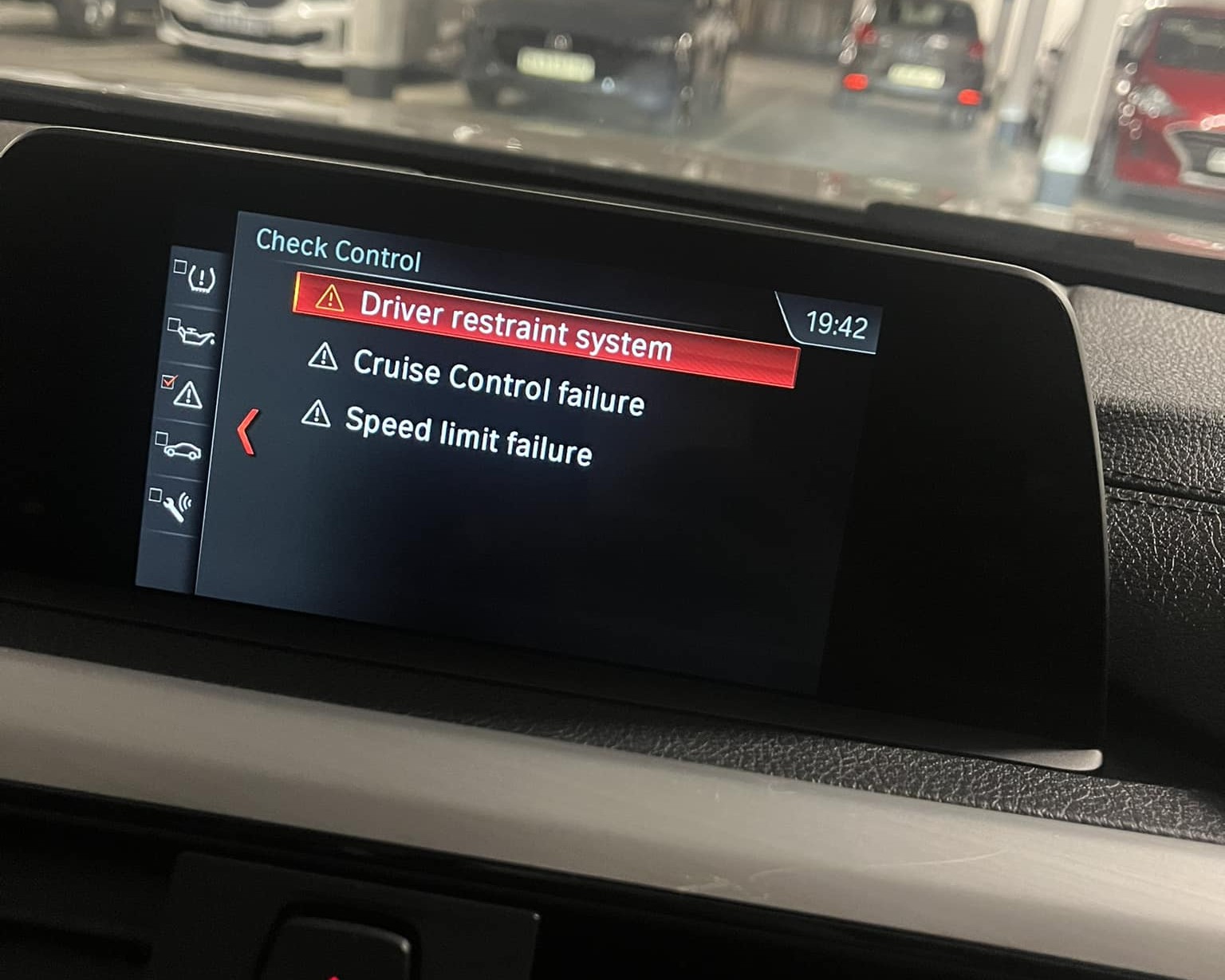
Before heading straight to a mechanic or workshop, try these steps:
Step-by-Step Troubleshooting Guide
-
Turn the car off and on again
A simple reboot can sometimes reset the system. -
Check the fuse and wiring
A blown fuse or loose wire could be the culprit. -
Use an OBD-II scanner
Plug in a diagnostic scanner and check for error codes. Many devices are now app-based and easy to use. -
Reset or recalibrate
Some systems allow manual resets through a button or sequence (check your vehicle’s manual or product guide). -
Update firmware
If your system is GPS-based or electronic, make sure the software is up to date. Manufacturers like Resolute Dynamics often provide updates or calibration support. -
Call a pro if unsure
If the issue doesn’t go away, it’s time to visit a certified technician—especially if it’s affecting throttle response or braking.
How to Prevent Future Speed Limiter Issues
Seeing a speed limiter warning light or receiving an error code doesn’t always mean an expensive trip to the mechanic. In many cases, you can fix the issue yourself by following a structured troubleshooting process. This step-by-step guide will help you narrow down the cause and get your system working again.
Whether you’re driving a private car with a built-in speed limiter or managing a fleet equipped with advanced GPS or dual speed limiters, these steps apply across the board.
Step 1: Turn the Vehicle Off and On Again (Soft Reset)
This might sound basic, but it’s the first thing you should try.
-
Why it works: Modern vehicles run on complex software. A temporary glitch can trigger a warning light or error code, especially after startup or sudden movement.
-
What to do:
-
Turn the engine off.
-
Remove the key (or switch off ignition if it’s keyless).
-
Wait for 60–90 seconds.
-
Restart the engine.
-
If the warning disappears, the system likely just had a hiccup. If it returns, move on to the next steps.
Step 2: Inspect Fuses and Wiring Connections
One of the most common causes of limiter system failure is electrical issues.
What to check:
-
Speed limiter fuse: Use the vehicle manual to locate the fuse box and check if the fuse for the speed limiter or cruise control is blown.
-
Wiring harness: Especially near the throttle body, pedal sensors, or the speed limiter module.
-
Grounding points: Rusted or loose grounding bolts can cause intermittent faults.
Signs of wiring issues:
-
Flickering warning lights
-
Limiter activating randomly
-
Inconsistent acceleration response
Tools to use:
-
Multimeter (to check voltage)
-
Fuse puller or tweezers
-
Flashlight
Fix: Replace blown fuses, reseat connectors, clean corroded terminals, and tape over exposed wires.
Step 3: Use an OBD-II Scanner for Diagnostics
A warning light usually comes with a hidden error code stored in the ECU. You’ll need an OBD-II scanner to read it.
How to do it:
-
Locate the OBD-II port (usually under the steering wheel).
-
Plug in the scanner and turn on the ignition (you don’t need to start the engine).
-
Follow prompts to scan for codes.
-
Look for any P, C, or U codes related to speed limiter, throttle, or ECU communication.
Popular Scanner Apps & Devices:
-
BlueDriver (app-based)
-
Autel MaxiCOM
-
FIXD
-
OBDLink MX+
Each code will point to a different cause. Write down or save the codes so you can search for specific solutions (or send them to your technician).
Step 4: Reset or Recalibrate the System
Depending on your vehicle and limiter model, you might be able to reset the system manually.
Methods:
-
Dashboard button reset: Some vehicles have a limiter reset button (check the manual).
-
Software reset via OBD: Some scanners allow you to clear codes and reset the limiter logic.
-
Recalibration: For GPS or dual-speed limiters, recalibration ensures the system understands current terrain, max speed zones, and driving patterns.
When to recalibrate:
-
After system update
-
After wiring repair
-
After changing the limiter settings or modules
Important: If you’re using a Resolute Dynamics speed limiter, refer to the specific user guide or contact their support for reset instructions.
Step 5: Check for Firmware or Software Updates
Just like smartphones, many modern vehicle systems need occasional software updates to fix bugs, improve compatibility, or enable new features.
Systems that may need updates:
-
ECU (Engine Control Unit)
-
Speed limiter module
-
GPS-based control units
-
CAN Bus integration systems
Update methods:
-
Through a dealer or authorized service center
-
Via SD card or USB if supported by the system
-
Using software provided by the manufacturer (Resolute Dynamics may offer downloadable updates)
Tip: Keeping firmware up to date also helps eliminate false errors caused by outdated modules not talking to each other correctly.
Step 6: Contact a Certified Technician
If the warning won’t go away—or if you experience:
-
Acceleration issues
-
Sudden speed drops
-
Cruise control failing
-
Brake override malfunctions
…it’s time to seek professional help.
What a technician will do:
-
Use advanced diagnostics to trace the fault through ECU, TCM, ABS, and speed limiter modules
-
Test signal voltages and communication between control modules
-
Check for deeper electronic control faults or hardware failures
For fleet vehicles or school buses, make sure the technician understands multi-speed, terrain-sensitive, or GPS-integrated limiters, especially if you’re using Resolute Dynamics products.
Pro Tips to Prevent Future Problems
Once you’ve fixed the issue, here are some best practices to avoid future headaches:
-
Secure wiring: Use cable ties and insulation tape to protect wiring from vibrations or heat.
-
Install surge protection: This can help shield the limiter system from power spikes during engine cranks.
-
Regular scans: Use an OBD-II tool monthly to catch silent codes.
-
Driver awareness: Train drivers to report warning lights immediately before they become major problems.
When Should You Replace Your Speed Limiter?
Like most tech, speed limiters have a lifespan. Here are some signs it’s time to replace:
-
Frequent malfunction lights or codes
-
Delay in speed engagement or throttle response
-
System not responding to recalibration
-
Changes in your vehicle’s use (e.g., moving from highway to city use)
Resolute Dynamics offers several updated limiter systems, including dual-speed GPS-integrated models that adapt in real time.
FAQs
Q: Can I still drive with the speed limiter warning light on?
Yes, but it’s not recommended—especially if it’s red or flashing. It could limit performance or put your safety at risk.
Q: Can I disable the speed limiter permanently?
In most countries, it’s illegal to tamper with or disable a speed limiter—especially in fleet or school vehicles.
Q: How much does it cost to fix a speed limiter issue?
Costs vary. A simple reset might be free. Replacing sensors or modules could run from $100–$500, depending on your vehicle and system type.
Final Thoughts
Speed limiter warning lights and error codes might look intimidating, but they’re really just a message from your vehicle saying, “Check me out.” By understanding what they mean and knowing how to handle them, you stay safer and avoid costly repairs.
For advanced solutions, always rely on high-quality systems backed by professional support. Resolute Dynamics continues to lead the way in speed limiter technology, ensuring your vehicles stay compliant, efficient, and safe.